Turn your conversations into opportunities.
Bring your contacts together, organise your leads in funnels and give every team the context it needs to close more.
Monday, May 20, 2024
Welcome, Carlos! 👋
New contacts
1,248↑ 15.2%
Conversations
2,856↑ 9.3%
All connected
The workflow your team needs
From the first conversation to the close, every lead has a clear next step.
Organised conversations
Bring your WhatsApp chats together, assign who handles each one and keep the whole history in one place.
Funnels made to measure
Create flows for sales, wholesale, support or human resources and move each lead without losing context.
Aligned teams
Assign leads to users, automate tasks and measure each team's performance with real data.
Features
Everything you can do
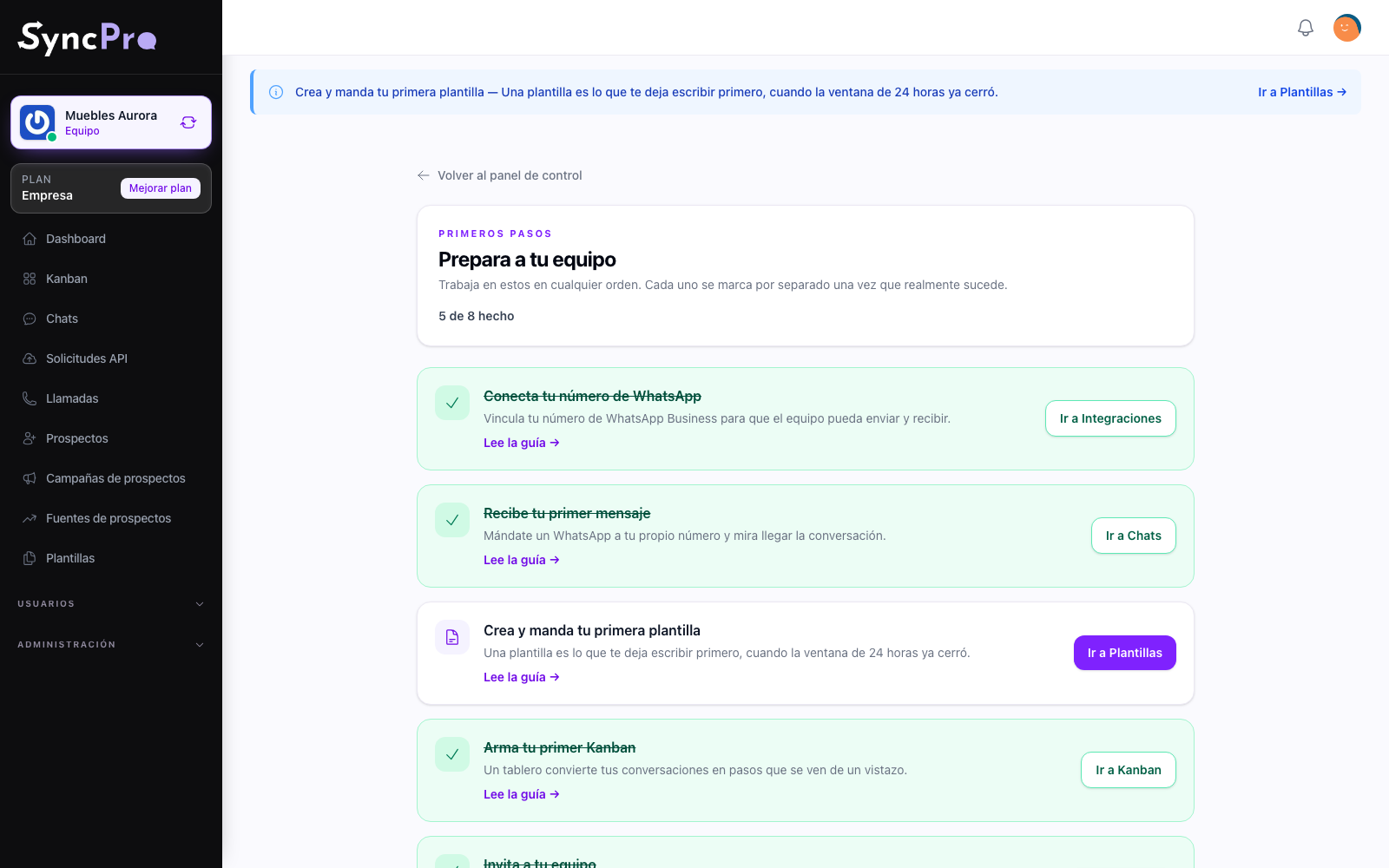
Set up in minutes
You link your WhatsApp number yourself, and a short list of first steps ticks itself off as you go.
See how it works →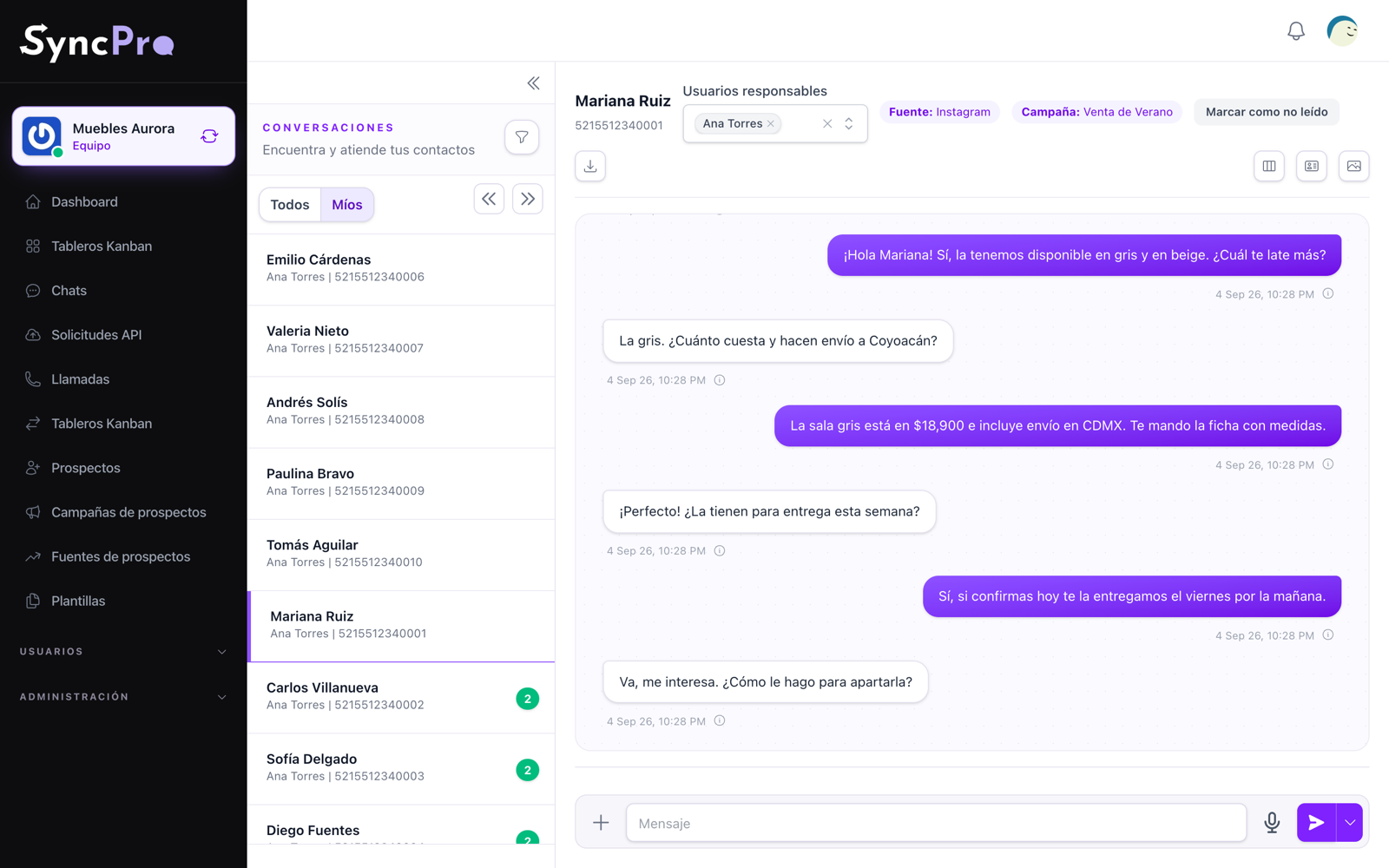
Conversations on WhatsApp
Every chat of your business in one inbox, with the whole team seeing who is answering what.
See how it works →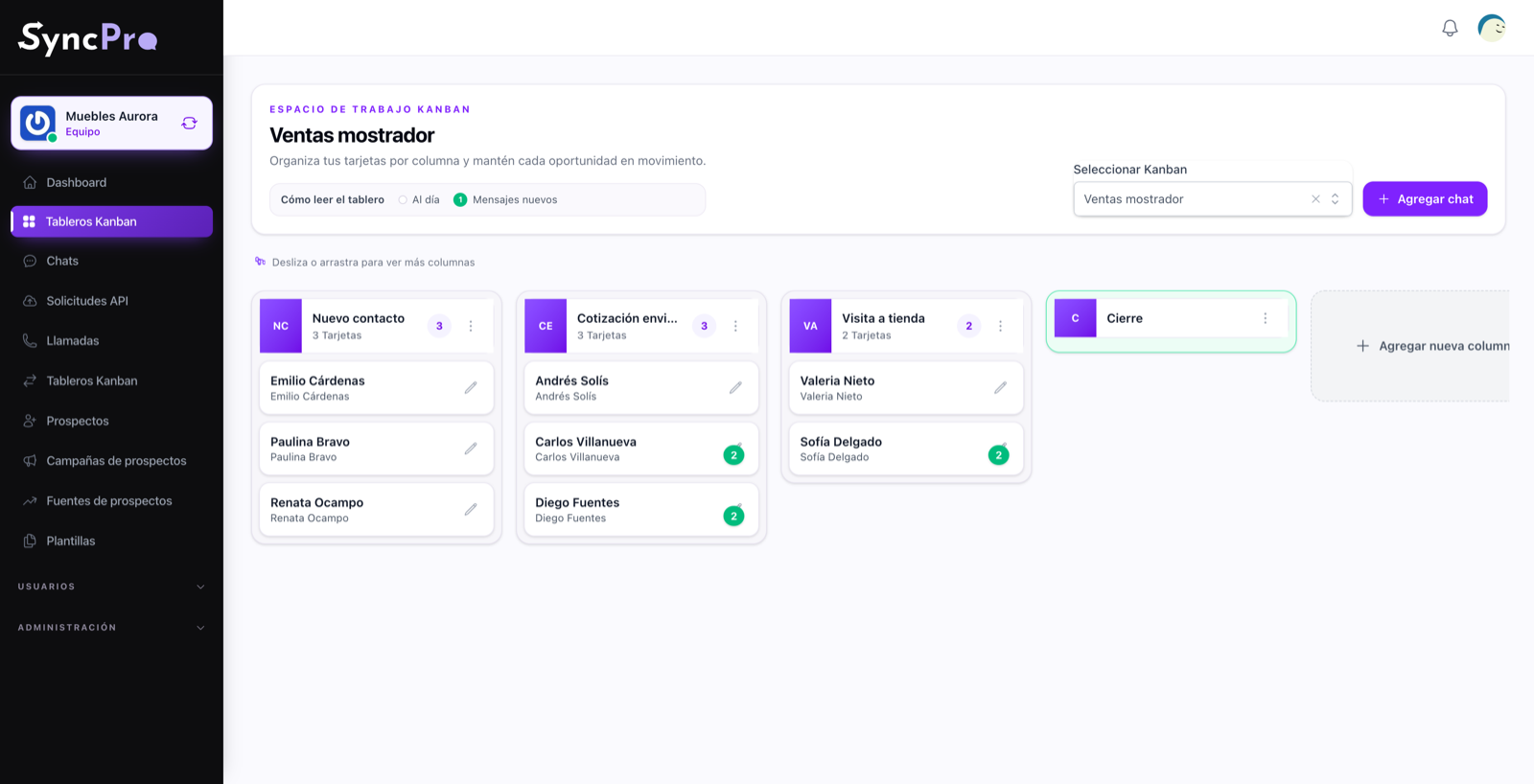
Funnels and boards
Kanban boards where each contact advances from step to step, and a whole column can be moved or messaged at once.
See how it works →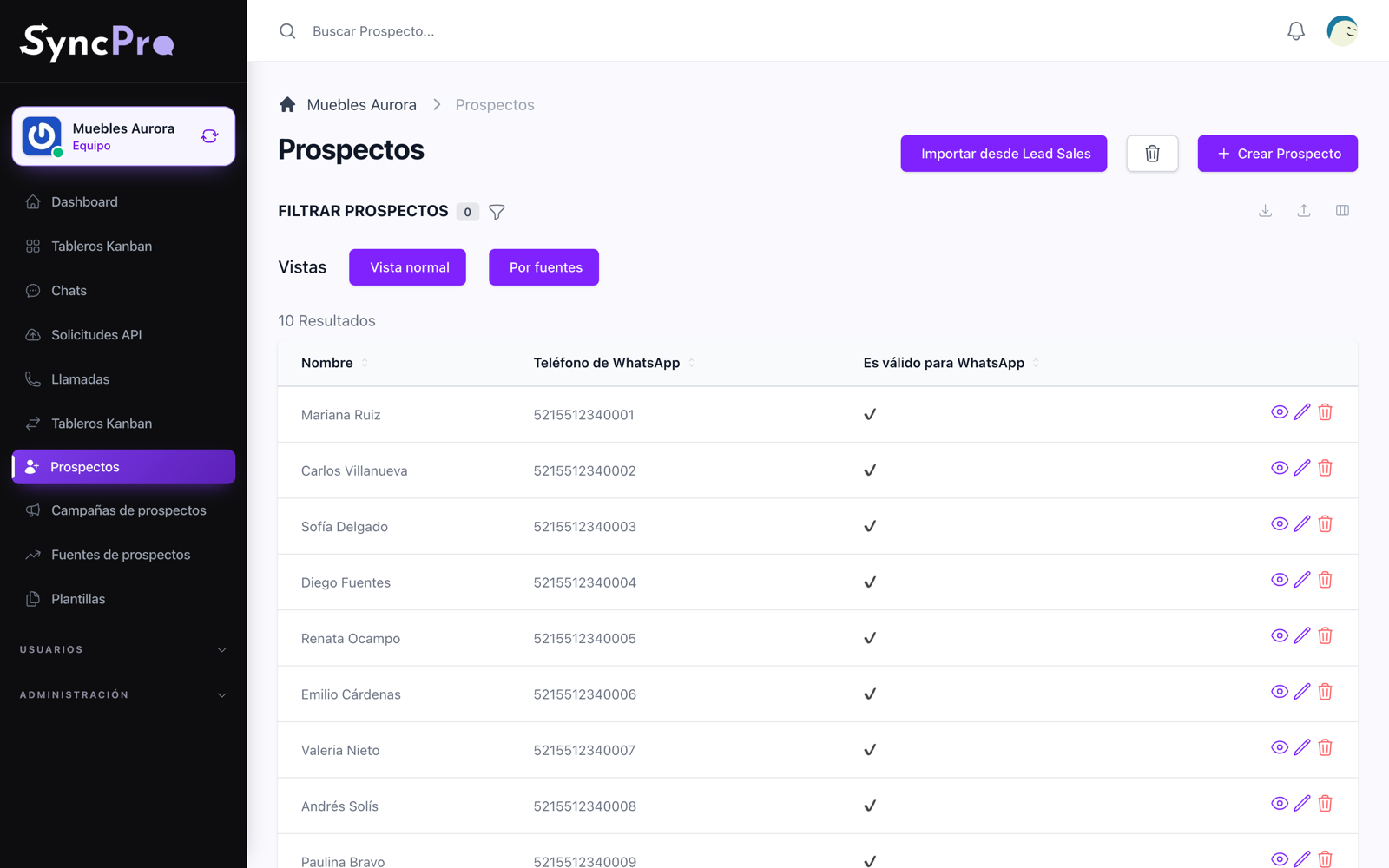
Leads and contacts
A record for every person who wrote to you, with the source and the campaign that brought them.
See how it works →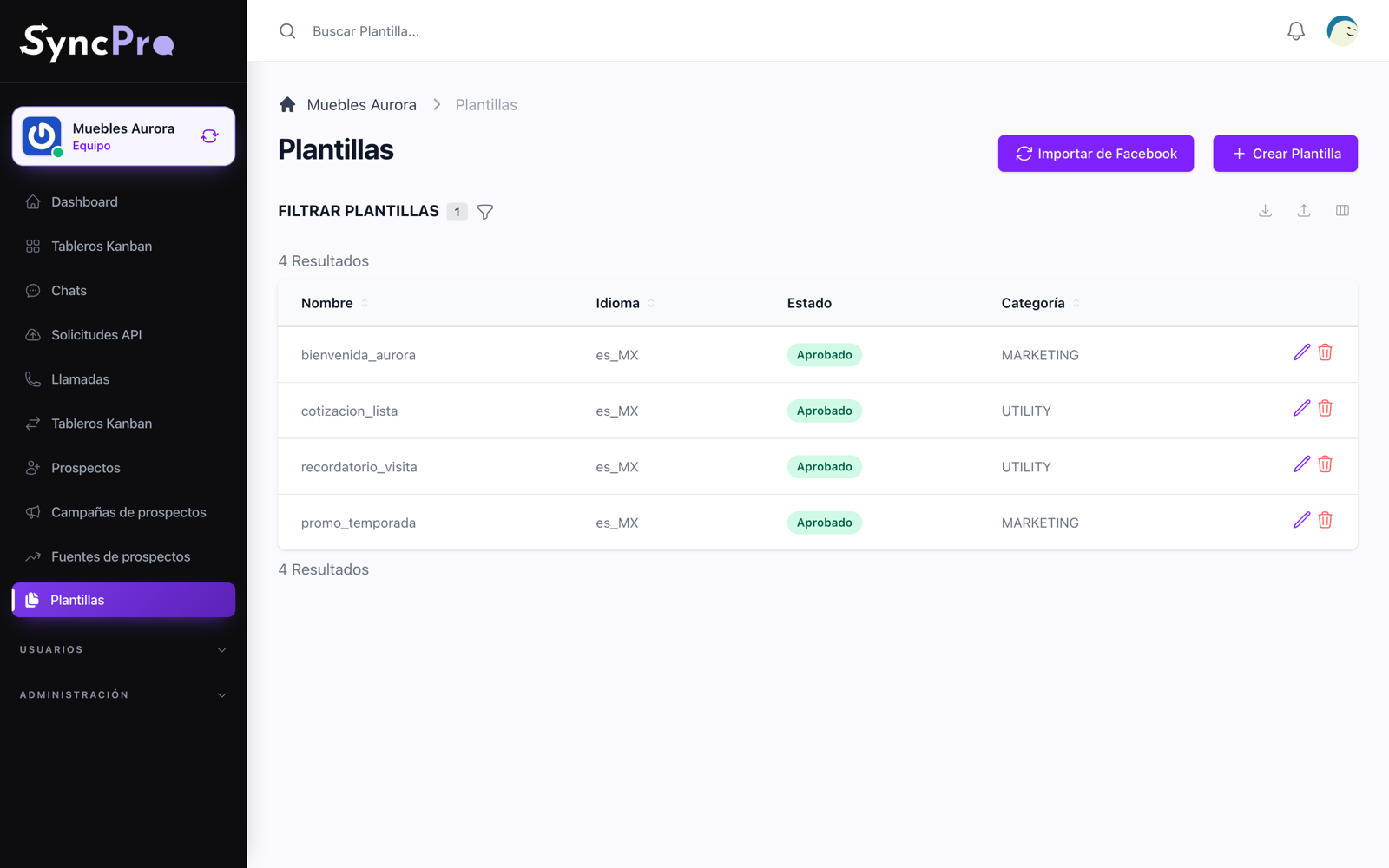
Templates and campaigns
Approved templates with variables, imported from Meta, sent to one person or to an entire step of a funnel.
See how it works →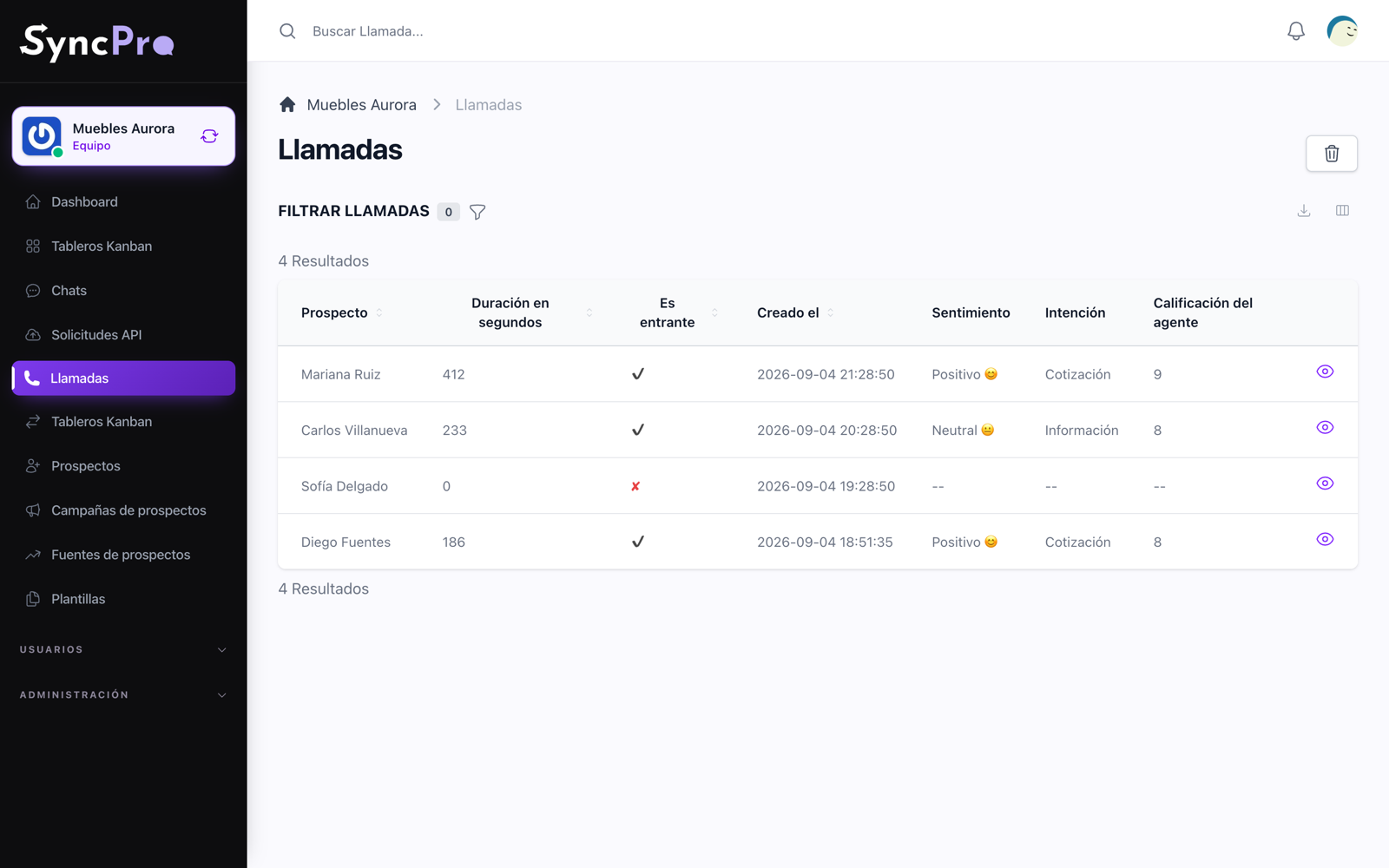
Calls and recordings
Phone calls land next to the chats, with their recording, transcribed and read for what they were about.
See how it works →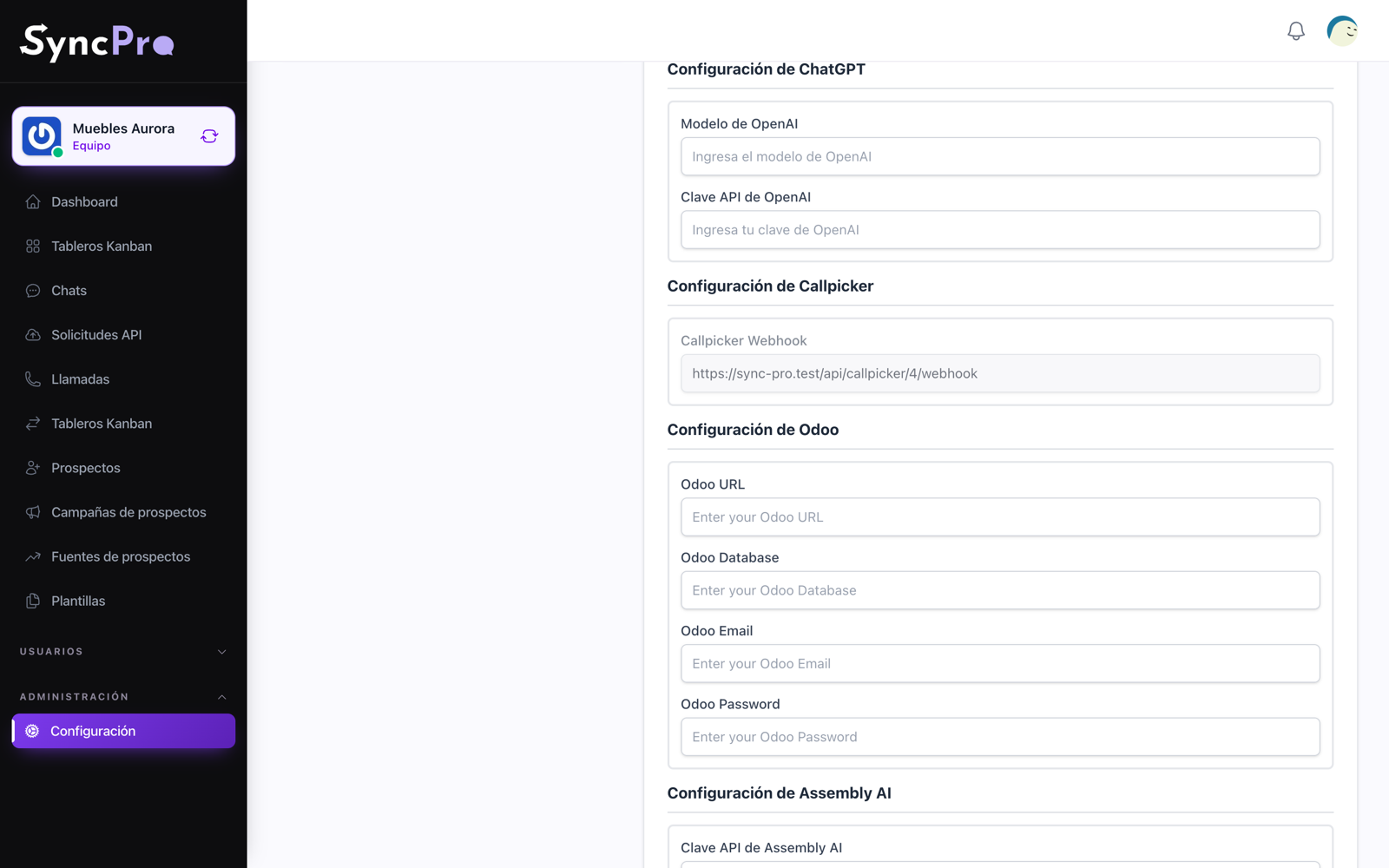
Integrations and AI
Odoo, OpenAI, Assembly AI and Azure, each switched on per team and configured with your own keys, and your own AI assistant connected through MCP.
See how it works →One system, all your teams
Every lead finds its way.
Design the operation that works best for your business. When a contact needs to move to another area, their information travels with them.
Save every contact and organise its information from the first message.
The lead reaches the right person, with all the context at hand.
Learn what works and turn your data into decisions.
Work funnels
Sales and support
Professional plan
Wants information
Assigned to Laura
Business plan
Closed

Your team connected. Your business in motion.
Sync Pro brings order to every conversation so you can focus on growing the business.
Start nowPricing
Packages tailored to your needs
Choose the perfect plan for you and start enjoying its premium benefits today.
Free
Try Sync Pro with one user.
-
1 user included
-
10 contacts served per month
-
Kanbans (CRM)
-
AI assistant connection: no
-
100 MB of storage included
-
Support: Tickets
Usage this plan brings
-
Disk space 100 MB included
Starter
For a small team getting started.
-
2 users included
-
300 contacts served per month
-
Kanbans (CRM)
-
AI assistant connection: no
-
1 GB of storage included
-
Support: Tickets
Usage this plan brings
-
Disk space 1 GB included
Professional
For teams that serve contacts every day.
-
5 users included
-
1,000 contacts served per month
-
Kanbans (CRM)
-
AI assistant connection: no
-
5 GB of storage included
-
Support: Tickets
Usage this plan brings
-
Disk space 5 GB included
Company
For growing teams that connect their AI assistant.
-
10 users included
-
3,000 contacts served per month
-
Kanbans (CRM)
-
AI assistant connection: yes
-
10 GB of storage included
-
Support: Tickets and chat
Add-ons included
-
MCP
Usage this plan brings
-
Disk space 10 GB included
Enterprise
For large teams with the highest volume.
-
20 users included
-
10,000 contacts served per month
-
Kanbans (CRM)
-
AI assistant connection: yes
-
20 GB of storage included
-
Support: Tickets and chat
Add-ons included
-
MCP
Usage this plan brings
-
Disk space 20 GB included
Enhance your plan
Discover our available Add-Ons
Accessories designed to enhance your experience and boost your capabilities.
To get an add-on you need an account.
+1 TB of storage
1 TB more storage for your team.
+1,000 contacts served
1,000 more contacts served every month.
+100 GB of storage
100 GB more storage for your team.
+20 GB of storage
20 GB more storage for your team.
Prices include applicable taxes. Plans and add-ons renew automatically until you cancel them, and there are no refunds for unused periods. Read the full terms
Questions
Frequently asked questions
What is a contact served, and when does the limit reset?
Each lead your team sends at least one message to through Sync Pro during the monthly period, the calendar month in UTC, counts as one contact served, however many messages it gets. Messages your leads send you do not count. The limit resets at the start of each new monthly period.
What happens when my team reaches its contacts limit?
Sync Pro may restrict new actions, interactions or processing, while you keep access to consult your existing information. It can stay restricted until a new monthly period starts, you add more capacity on a plan that allows add-ons, or you move to a higher plan. Reaching the limit never buys or charges extra capacity on its own.
How does storage work?
Your plan's storage is the maximum space of the whole account: files, images, videos, documents, conversations, records and the rest of what Sync Pro keeps for you. It does not reset every month. When it is full, Sync Pro may restrict storing new information until you free space, add more storage or move to a plan with more capacity.
How many WhatsApp numbers can I connect?
Each Sync Pro subscription connects up to one WhatsApp number, and you can use Sync Pro without connecting one wherever the available features allow it. To manage more numbers you need a separate subscription for each one, and their limits of users, contacts, storage and add-ons are not added up, transferred or shared between them.
How does my plan renew, and how do I cancel it?
Plans are monthly or yearly and renew automatically with your registered payment method until you cancel them before the next renewal date. A yearly plan is charged in advance. When you cancel, you keep your plan until the end of the period you already paid and it simply stops renewing. There are no refunds, prorated or otherwise, for unused periods.
What happens when I move to a higher or a lower plan?
A higher plan can apply immediately and may charge the difference or a proration for the time left, as shown when you make the change. Moving from a paid plan to a cheaper paid plan also applies immediately, with no credit or refund for what you already paid of the period; moving to Free keeps your plan until the end of the period you paid. Either way, your account has to fit within the new plan's limits first: if you have more users, storage or other resources than it allows, reduce them before changing.
What are add-ons?
Add-ons raise a limit of your plan: more users, more contacts served each month or more storage. Unless stated otherwise, they are recurring charges that renew with your subscription while they are active, whether or not you use all of what they add. They are only available on the plans that say so; on a plan without them, going over a limit means moving to a higher plan.
Do prices include taxes, and how do I get an invoice?
Unless stated otherwise, the published prices of Sync Pro include the applicable taxes. If you need an invoice, write to [email protected] with your tax details, within the applicable tax requirements and deadlines.
What does Sync Pro charge, and what do Meta, WhatsApp and other providers charge?
Sync Pro charges your plan and the add-ons you contract. What Meta, WhatsApp and other providers charge for messages, conversations, calls, numbers, API use, artificial intelligence, licences or consumption is not included and is yours to pay. A plan that includes an integration lets you use it; it does not mean WebLabor pays that provider for you.
What support does my plan include?
It depends on your plan. With email support, WebLabor aims to give a first answer within five business days: a guideline, not a service level agreement nor a promise that the issue is solved by then. Chat support depends on the hours and availability of the team and is not immediate or round the clock. Plans without support have the documentation, the help centre and these questions. Support answers how Sync Pro works and takes error reports; it does not include custom development, custom setup or individual training.
What is the Initial Setup service?
Your subscription does not include personal setup help: you can configure your accounts and integrations yourself with the tools in Sync Pro. If you want to be accompanied, WebLabor's Initial Setup is a service contracted separately, in which WebLabor does what is within its reach and guides you through what only the account holder can do. It does not guarantee approvals, verifications, activations or any other result that depends on Meta, WhatsApp or other providers.
What happens if a payment fails, and when is information deleted?
If a renewal cannot be charged, you keep full access for up to 15 days while the charge is retried, and your renewal date does not change. If it is still unpaid after those 15 days, the paid subscription is cancelled, the account is held to the Free plan and the unpaid amount stays as a debt: until you settle it, you can only reach your account, plans, debt and cards. When a paid subscription ends, what exceeds the Free plan may be kept for up to 30 days and then deleted. A Free account in which no user signs in for 90 consecutive days may be deleted with its information. Export what you need in time: a deletion may be irreversible.
Does Sync Pro include custom development?
No. Custom modules, changes and integrations are quoted separately, and that quote sets their scope, price and timing. Your subscription does not entitle you to developments or features not included in your plan.