Sign up and start, without waiting for anybody
A new team links its WhatsApp number and starts, with a short list of first steps that tells it what is left, where to do it and where to read more.
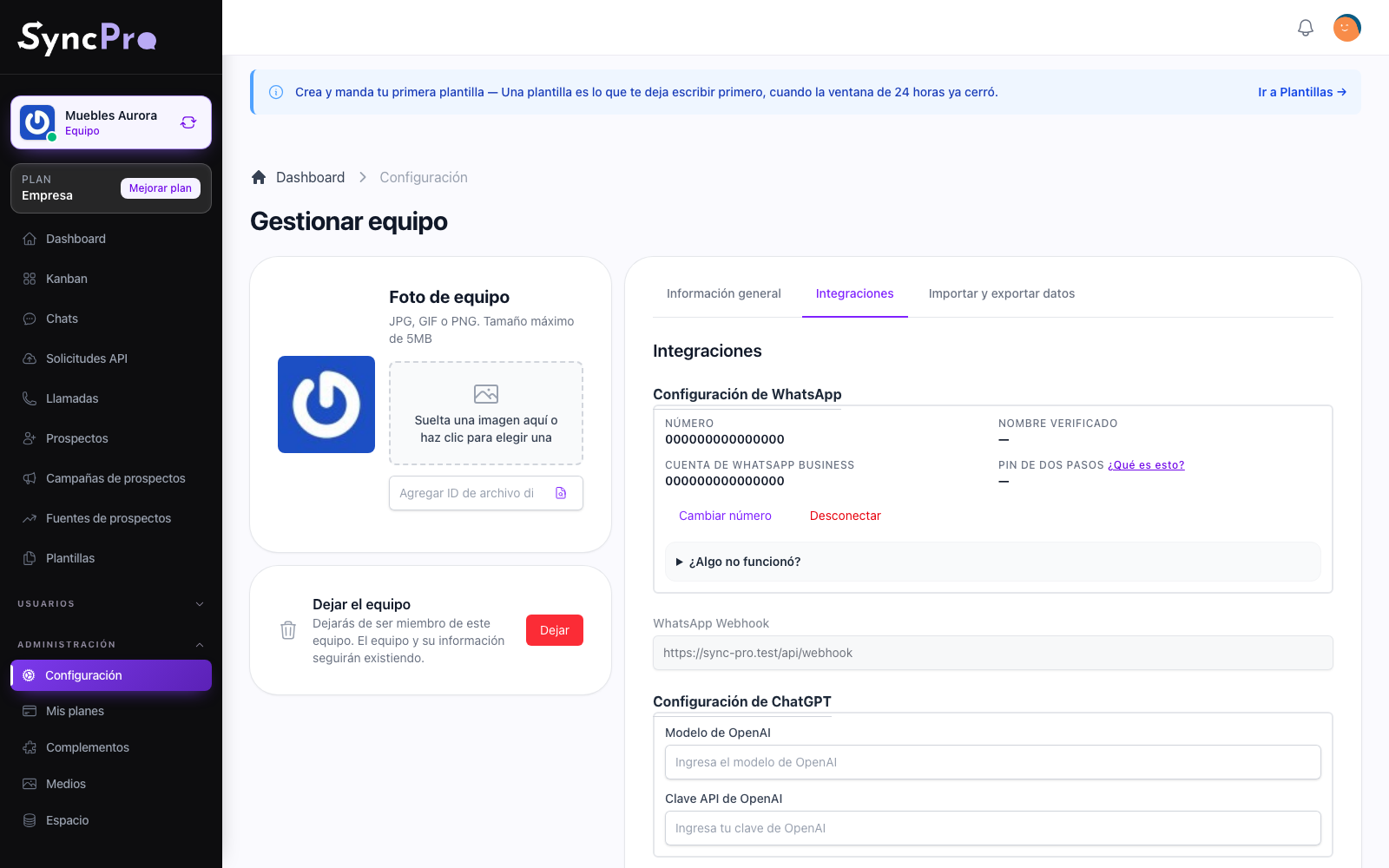
You link WhatsApp yourself
Linking your number is what turns WhatsApp on for your team, and you can do it the moment you sign up: there is nothing to request and no switch to find. Until a number is linked, the chats wait for one. Verifying and approving your number and your account is decided by Meta, not by Sync Pro. If you would rather be accompanied, WebLabor's Initial Setup is a service contracted separately.
How modules work →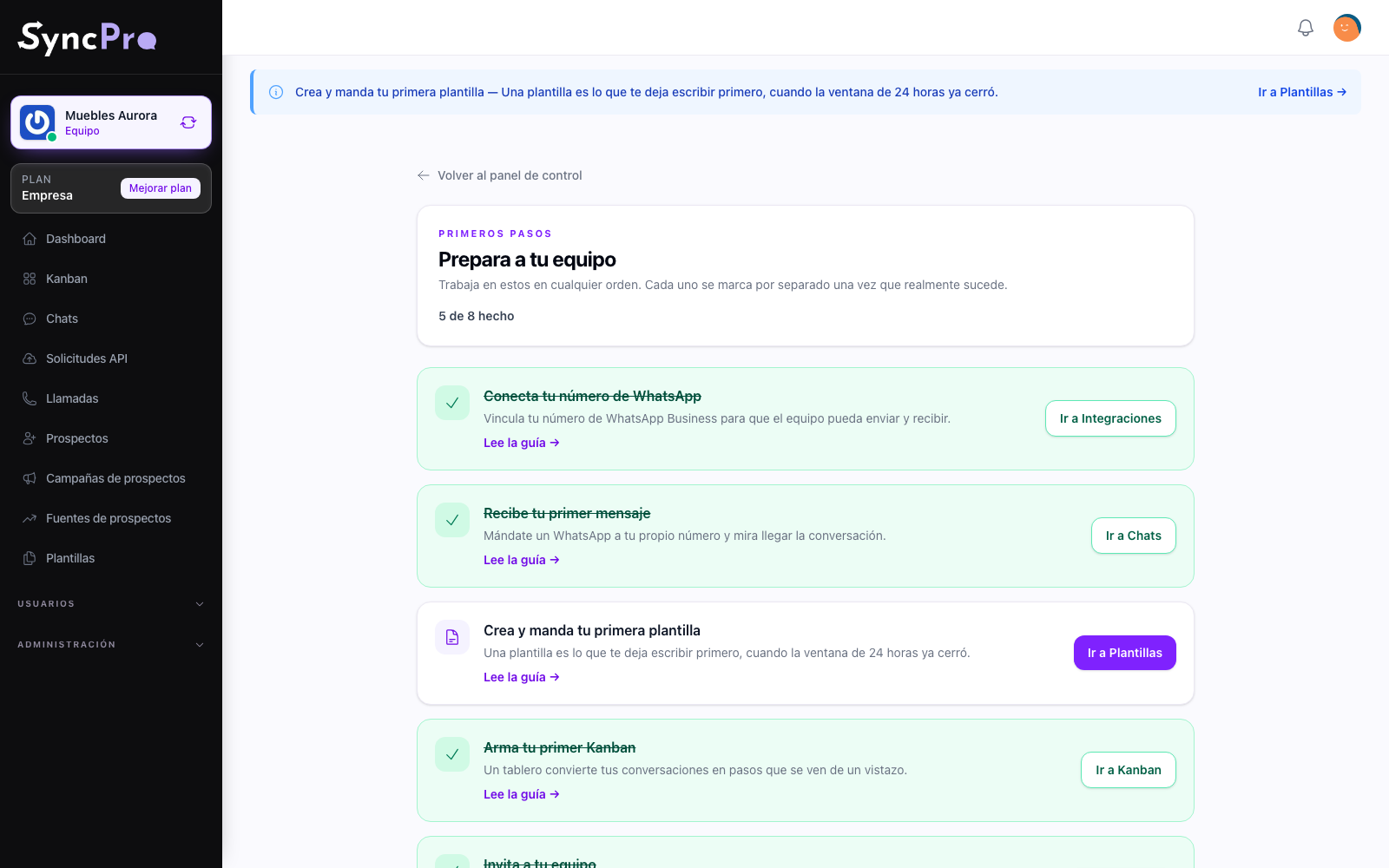
A short list that knows where you are
Connect the number, receive the first message, send the first template, build the first board, invite your team. Each step is ticked on its own by what actually happened, so nothing can be faked and nothing has to be remembered.
The whole route, written out →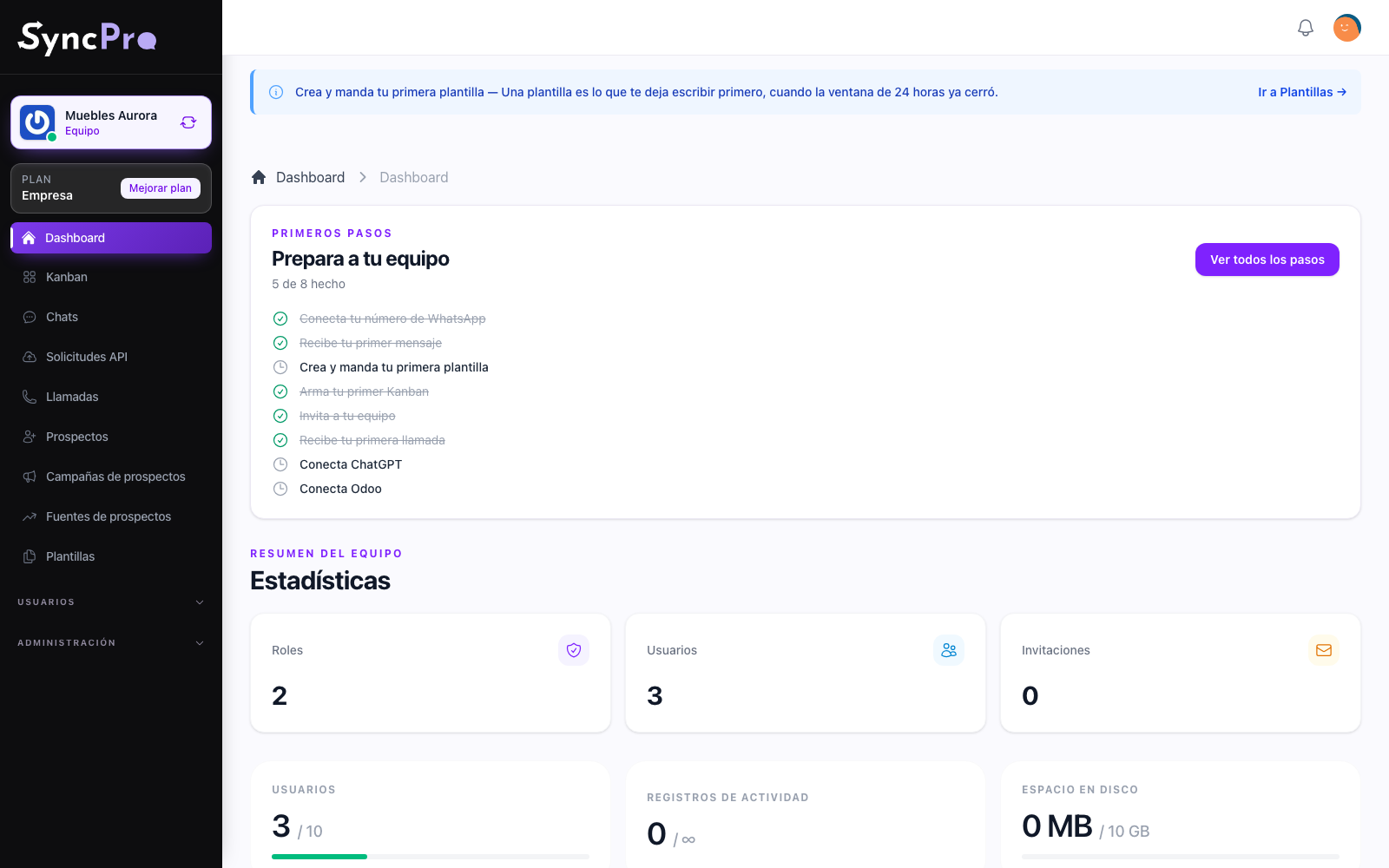
It asks only for what your team has
A module that is off shows no step at all, and a module that is on adds its own: receive the first call, connect your OpenAI key, connect Odoo. When everything applicable is done, the list disappears and the dashboard is just the dashboard.
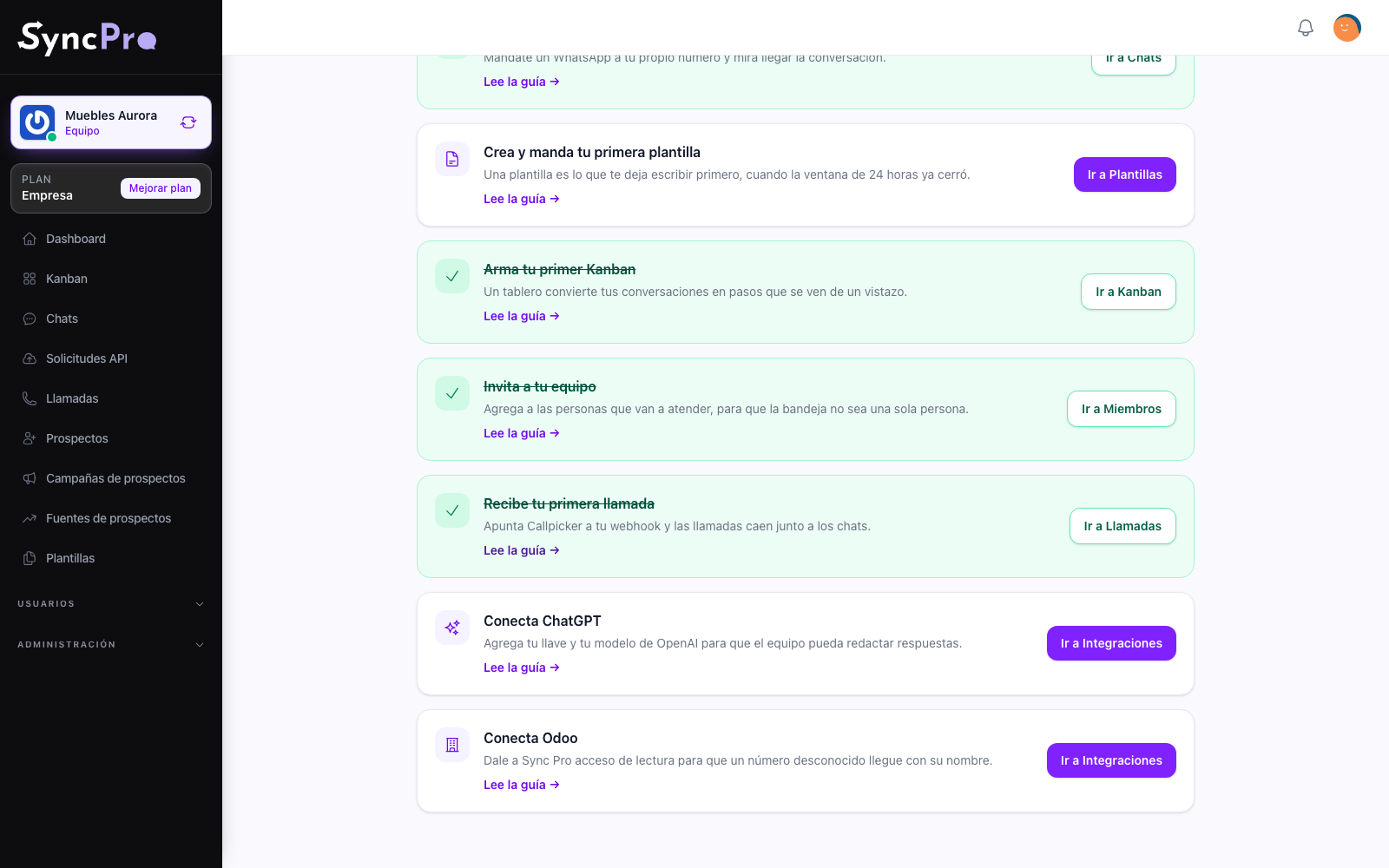
Every step links the guide that explains it
The step says what to do in a line and points at the help centre for the detail, in Spanish or in English. No screen leaves you guessing what the next move is.
Prove your number receives →