
Your first message
How to prove the number really receives: send yourself a WhatsApp, find the conversation, and what to check when nothing arrives.
Linking the number tells you Meta accepted the connection. It does not tell you messages arrive. This guide is the check that does, and it takes two minutes.
Do it before you hand the number to anybody. A number that is linked but not receiving looks exactly like a number that works, right up until a customer writes and nobody sees it.
The check
- Take a phone that is not the WhatsApp Business number itself — your own personal phone is ideal.
- Send a WhatsApp message to your business number. Anything: "hola".
- Open Chats in Sync Pro.
Within a few seconds the conversation appears, with your name or your number as the contact and your message inside it. No refreshing, no importing: it arrives on its own.
That is the whole test. From that moment the number receives, and Receive your first message, the second of your team's first steps, is ticked on its own.
Where the conversation lands
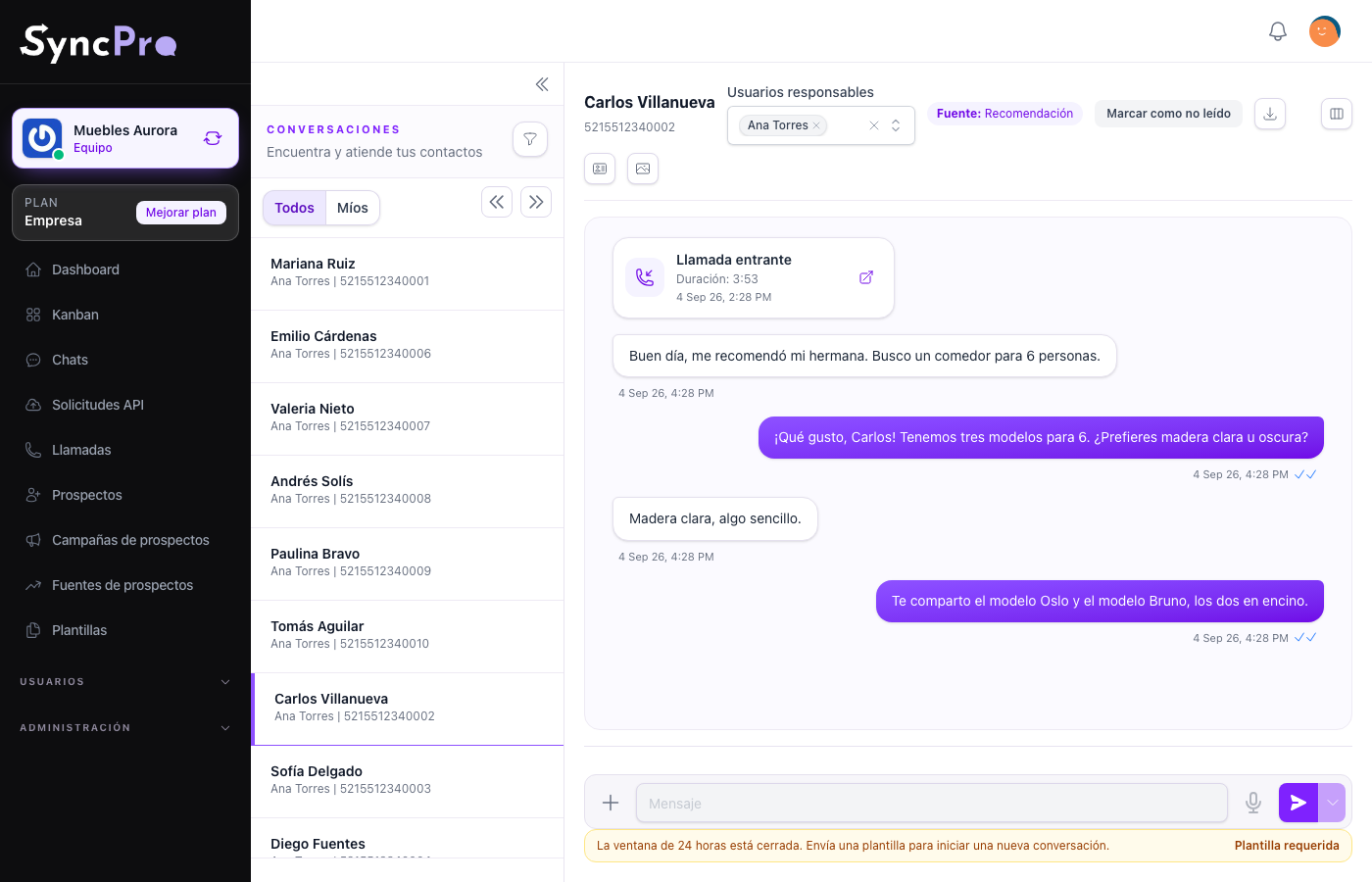
The contact is created for you the first time an unknown number writes. It goes to the people named in Default responsible users in your team settings — to all of them, or to one at a time, as How to assign says when there are several — so check those before the real messages start: Set up your team.
Once it is there you can reply straight away, because the contact wrote first and that opens a 24-hour window. See Chats and conversations.
When nothing arrives
Work through these in order. If you linked the number through the guided flow, there is no webhook to set: Sync Pro subscribed the application for you.
| What to check | Where |
|---|---|
| Is a number actually confirmed? | Settings → Integrations, in WhatsApp Configuration. If it still says Your account is linked. Now choose the number you want to send from., the number was never confirmed and nothing receives: choose it and press Confirm. |
| Did the request even arrive? | Api Requests lists the webhooks received for your team. No record usually means it never came in and the problem is in Meta, but a message for a number that is not fully linked to your team is not listed there either. |
| Is the token still valid? | A token revoked in Business Manager stops everything without warning. |
| With token access only: is the webhook set in Meta? | The read-only WhatsApp Webhook field in Settings → Integrations, copied into your Meta app. |
The API requests log explains how to tell "it never arrived" apart from "it arrived and something went wrong", which is the fastest way to stop guessing.
If the record is there and the conversation is not, that is worth reporting: the message reached Sync Pro and something after that failed.
If the trouble started while linking the number, see If something went wrong connecting WhatsApp.
What comes next
With the first message in, the rest of the setup is worth doing in order: The first steps.