
Turning modules on and off
WhatsApp has no switch — linking your number is what turns it on; the rest are switched on for you, and what changes when one goes off.
Sync Pro is built out of modules, and a module that is off takes its screens out of the menu and its section out of the settings. WhatsApp is the exception: it has no switch at all.
WhatsApp follows your number
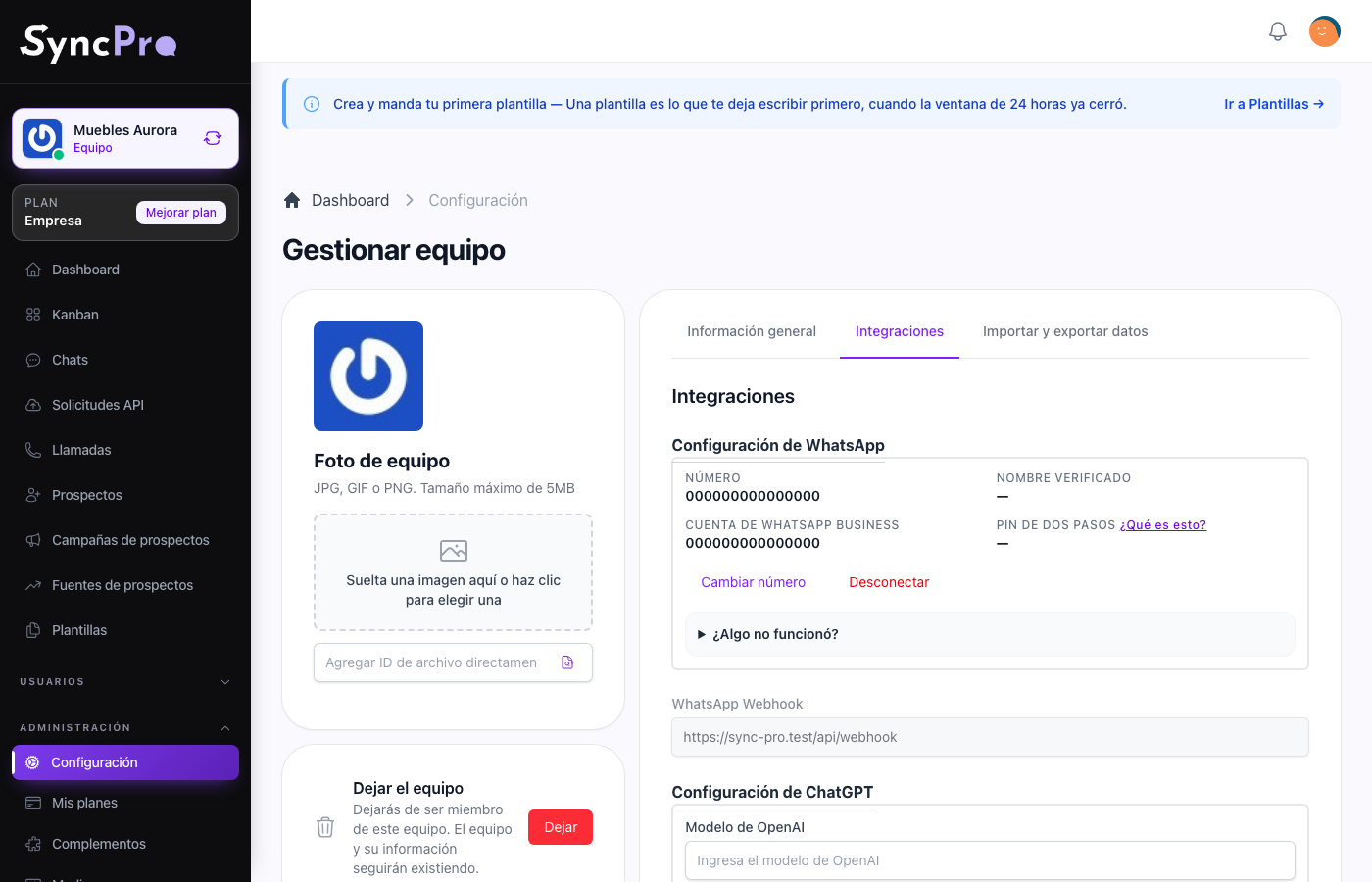
There is nothing to turn on and nothing to ask for. The WhatsApp Configuration section is always in Settings → Integrations, for every team, and linking your number there is what turns WhatsApp on. See The WhatsApp module.
| While your number is linked | While it is not |
|---|---|
| Chats and Kanban are in the menu. | Chats and Kanban are not in the menu. |
| Templates can be created, imported and sent. | Templates cannot be used. |
| Messages to your number arrive as leads. | Nothing arrives, and nobody is notified. |
| The WhatsApp first steps are in the list. | Only Connect your WhatsApp number is in the first steps. |
Disconnect in the same section is how a team stops using WhatsApp. It does not delete anything: your conversations, contacts, templates and boards stay where they are, and linking a number again brings the screens back with everything in them. See What Sync Pro can and cannot see.
A number can be linked to one team only. If it is already linked to another team, Sync Pro says so and does not link it: disconnect it from the other team first, or choose a different number.
The other modules
Callpicker, Odoo, ChatGPT, Assembly AI, Azure Language and Advanced Leads are switched on for your team by whoever administers your Sync Pro. From inside the team you see the result: the module's section appears in Settings → Integrations, waiting for its keys, and Callpicker, ChatGPT and Odoo add their first step to the list. Advanced Leads has no section: it adds the Source and Campaign of each lead; see Leads, sources and campaigns.
MCP, the connection for your AI client, is the one your team can switch on by itself. The Company and Enterprise plans include it; on any other plan, someone with Manage Plans turns it on from Add-ons, at no cost. See Connect your AI client with MCP.
If a module you expect is missing, that is the thing to ask for. If it is there and nothing happens, it is configured wrongly, and each module's guide says exactly which fields it needs.
When nothing is on
With no number linked and no other module switched on, the first steps ask for one thing only: Connect your WhatsApp number. The WhatsApp section is still in Settings → Integrations, ready for you to link your number.