
The Odoo module
Connect your Odoo instance so an unknown caller arrives with the name, mobile and phone you already have on record there.
The Odoo module gives Sync Pro read access to your Odoo customers, for one purpose: when a call comes in from a number nobody in Sync Pro knows, it asks Odoo who that is before creating the contact.
It only reads. Sync Pro does not write to Odoo, and it does not copy your customer base across.
Connecting it
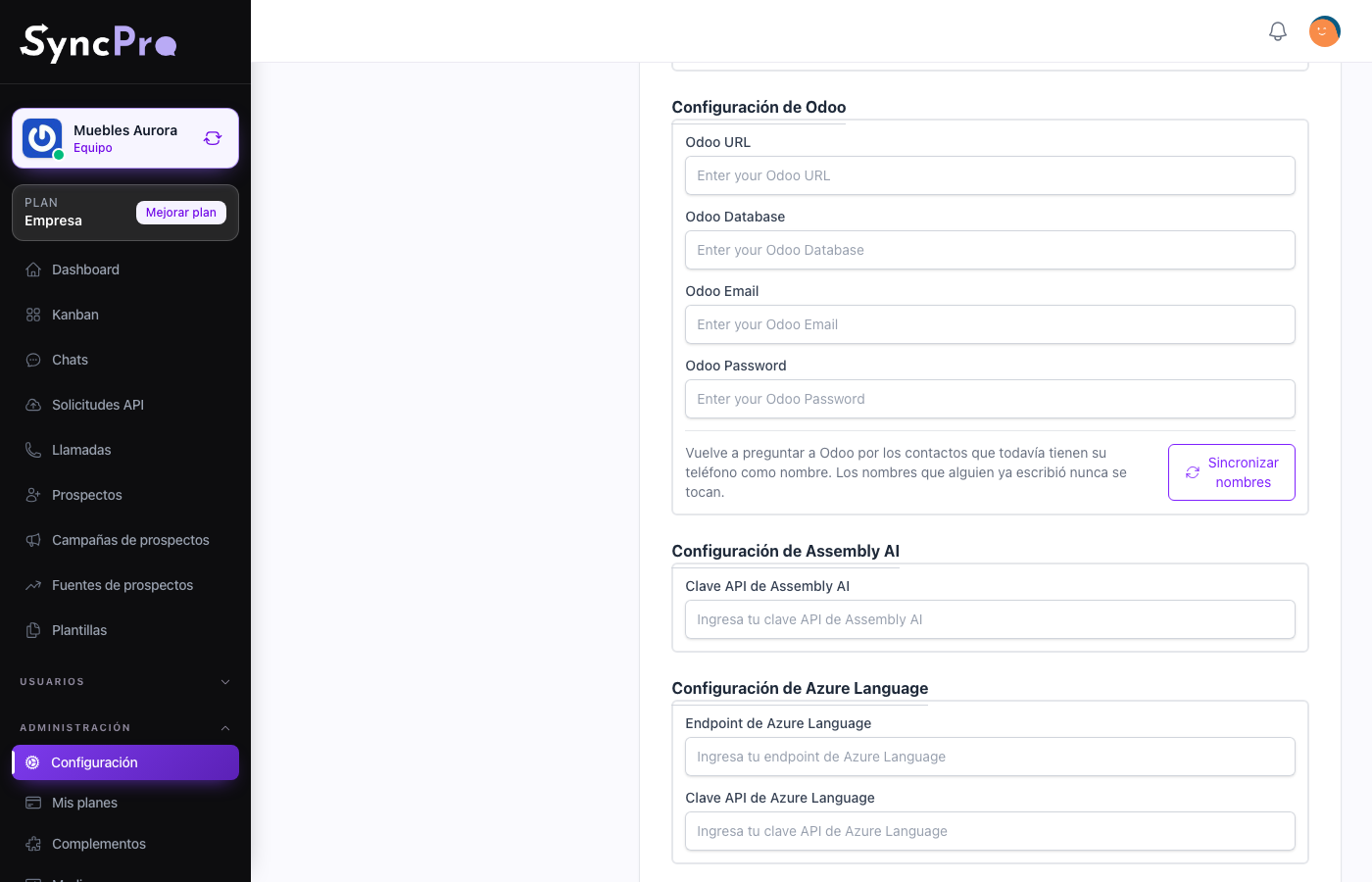
Settings → Integrations gains an Odoo Configuration section with four fields, and the connection counts as configured only when all four are saved. Only people whose role has the Edit Settings permission see the section; without it, ask somebody who has it. See Roles and permissions.
| Field | What to put in it |
|---|---|
| Odoo URL | The address of your Odoo instance. |
| Odoo Database | The database name inside that instance. |
| Odoo Email | The user Sync Pro signs in as. |
| Odoo Password | That user's password. |
Fill them in and press Save. Once all four are saved, the Connect Odoo step of your team's first steps is ticked on its own.
Sync Pro never shows the password again. Once it is saved, Odoo Password only says Password saved, with a Change button. To replace it, press Change, type the new one and press Save. Leaving it untouched keeps the saved one.
Use a dedicated Odoo user with only the access this needs — reading customers.
What it does
The lookup runs when a Callpicker call arrives from a number that matches no contact in the team. Sync Pro asks Odoo for a customer with that phone number — the last ten digits are compared, so a country code written differently still matches — and, when it finds one, creates the contact with:
- the customer's name, instead of the bare number,
- their mobile as the WhatsApp phone,
- their phone as the alternative phone.
When Odoo has nobody with that number, the contact is created from the number alone, exactly as it would be with the module off. The same happens when Odoo does not answer: the call is always recorded, and the contact is named after its number until you sync names.
Some Odoo versions have no mobile field for customers. Sync Pro checks which fields your Odoo has and searches by phone alone when there is no mobile. When the customer has no mobile, the caller's number is used as the WhatsApp phone.
Give your contacts their real names
Contacts created while Odoo was not answering, or before the customer existed in Odoo, keep their phone number as their name. Sync names asks Odoo about them again.
- Go to Settings → Integrations. You need the Edit Settings permission to see the section.
- In the Odoo Configuration section, press Sync names.
- You see Syncing names. The work runs in the background, so you can leave the page.
- When it finishes, you get a notification in the bell with the result. Opening it takes you back to Settings → Integrations.
Only contacts whose name is still their WhatsApp phone or their alternative phone are looked at. A name someone already wrote is never touched, so you can run it as often as you like.
The notification opens with your team's name — Sales · Odoo name sync finished — and tells you one of three things:
| Notification | What it means |
|---|---|
| Odoo name sync finished, with how many contacts got their real name | It worked. If it also says some contacts could not be checked, Odoo stopped answering midway: run the sync again later. |
| Odoo name sync finished: Odoo has no customer for any of them | Odoo answered, but none of those numbers belong to a customer there. |
| Odoo could not be reached | Nothing was renamed. Check the four Odoo fields and try again. |
Other messages you may see when pressing the button:
- Odoo is not connected: one of the four fields is empty. Fill them in and save first.
- Names are already syncing: a sync for your team is still running. Wait for its notification.
What it does not do
- It does not import your Odoo customers into Sync Pro.
- It does not push Sync Pro's leads into Odoo.
- It does not look up new WhatsApp conversations as they arrive, only incoming calls. Sync names does rename any contact still named after its phone, wherever it came from.
Without the Callpicker module, only Sync names uses the connection.