
The ChatGPT module
Give the team an OpenAI key and a model, let an OpenAI assistant answer the contacts of a chosen user on its own, and have the model read back what a call was about.
The ChatGPT module puts OpenAI behind two things: answering WhatsApp messages on its own, for the contacts of a user set up for it, and summarising what happened on a recorded call.
Connecting it
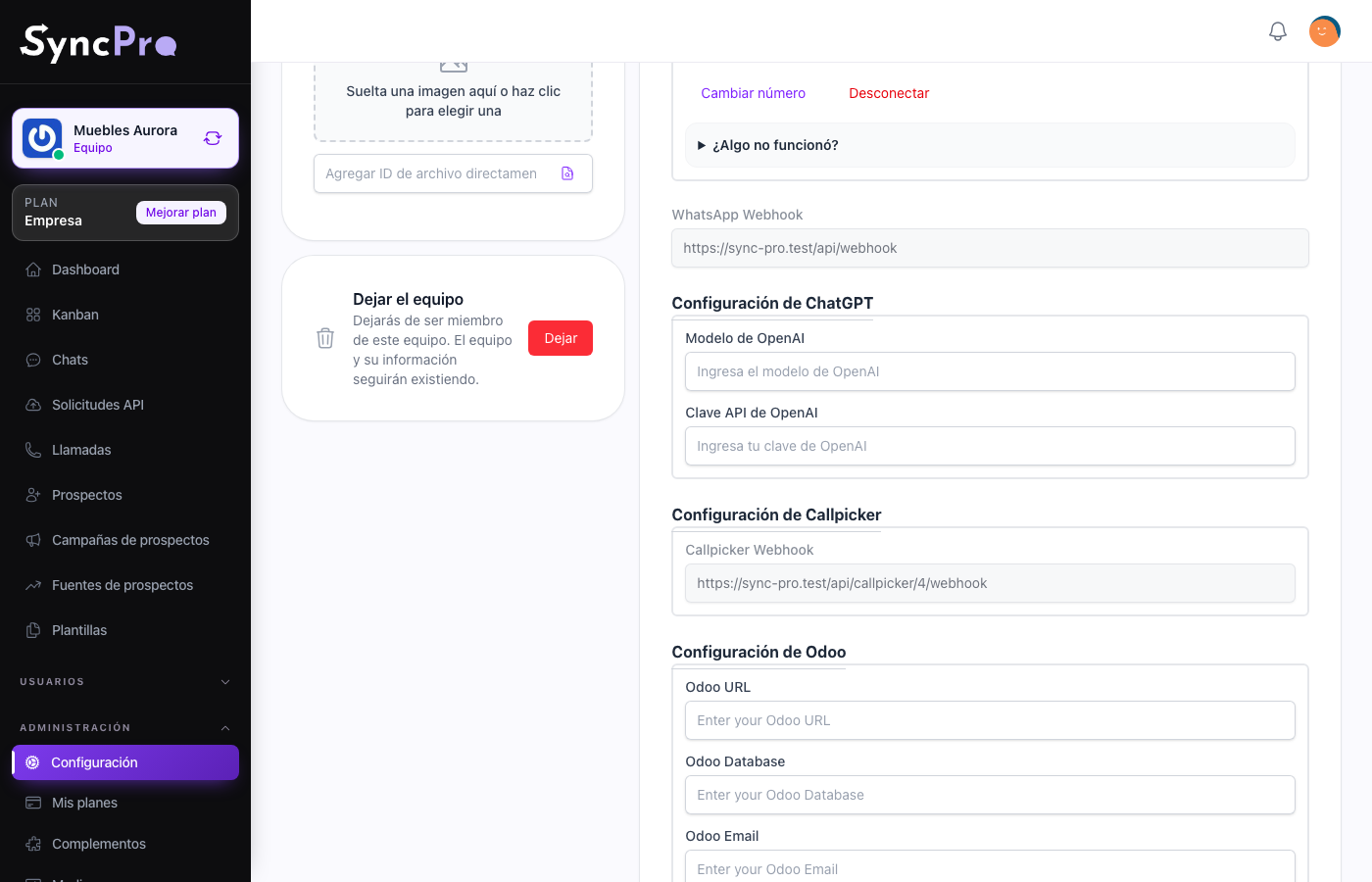
Settings → Integrations gains a ChatGPT Configuration section with two fields, and both are required before the module counts as connected:
| Field | What to put in it |
|---|---|
| OpenAI Model | The model used to analyse calls, for example gpt-4o-mini. |
| OpenAI API Key | A key from your own OpenAI account. |
Press Save at the end of the page. Once the key is saved it is never shown again: the field reads Current value: followed by its last four characters, and Change opens it to type a new one.
Every member can open Settings, but only someone whose role has the Edit Settings permission sees the content of Integrations. Without it, ask somebody who has it.
The key is billed to your OpenAI account, not to Sync Pro. Usage costs are yours, so pick the model with that in mind.
Automatic replies
When a contact writes a text message, and the contact's responsible user is set up for it, an OpenAI assistant writes the answer and Sync Pro sends it over WhatsApp straight away. Nobody reviews it first: there is no draft. The reply appears in the conversation under that user's name, like any other message. When a contact has several responsible users, the one that counts is the first one.
Only text messages get an automatic reply. A photo, an audio, a location or a button press does not.
The assistant itself lives in your OpenAI account: its instructions, its model and what it knows are set up there, not in Sync Pro. Sync Pro keeps one conversation with OpenAI per contact, so the assistant answers with what the contact said before. Only the contact's text messages and the assistant's own replies go into it; what your team writes by hand does not.
Setting up a user
No team screen turns automatic replies on. A Sync Pro administrator does it on the user's account, with two settings: Is Ia, which switches the replies on for that user's contacts, and Ia Prompt, which holds the identifier of the OpenAI assistant that answers. Ask Sync Pro support to set them, and have your assistant's identifier ready.
Because the setting belongs to the user, it applies to every contact that user is responsible for, in every team they belong to that has the module connected.
What it does with calls
When the Callpicker, Assembly AI and Azure Language modules are also connected, the model reads each transcribed call and writes back its summary: what the call was for, what happened, how the agent did with a score out of ten, and how the customer felt. That is how a manager learns what a twenty-minute call was about without listening to it. This is the only place the OpenAI Model field is used.
ChatGPT is a link in that chain. Without it, a call is transcribed but goes no further: no sentiment reading and no summary. Without Azure Language, there is no summary either. See Call transcription and sentiment.
What to keep in mind
- An automatic reply goes out as soon as it is written. Set up a user only when you trust the assistant to speak for them.
- The conversation text and the call transcripts are sent to OpenAI. Do not switch this on for a team whose conversations must not leave your infrastructure.
- With no key or no model, nothing runs and nothing breaks: the module is simply inert.