
Meta rejected my template
Where the reason arrives, what to change, how long a review takes, and why the draft you just wrote is not in the list.
First: your draft is not lost
This is the one that worries people most, and it is not a problem at all.
The template list shows approved templates by default. You write a template, save it, go back to the list, and it is not there — so it looks like the work disappeared.
It did not. Change the Status filter of the list to see drafts or pending ones, or clear it to see everything, and your template is exactly where you left it.
Get used to changing that filter whenever you are working on something new. The default is there because most days you want the templates you can actually send.
Where the reason is
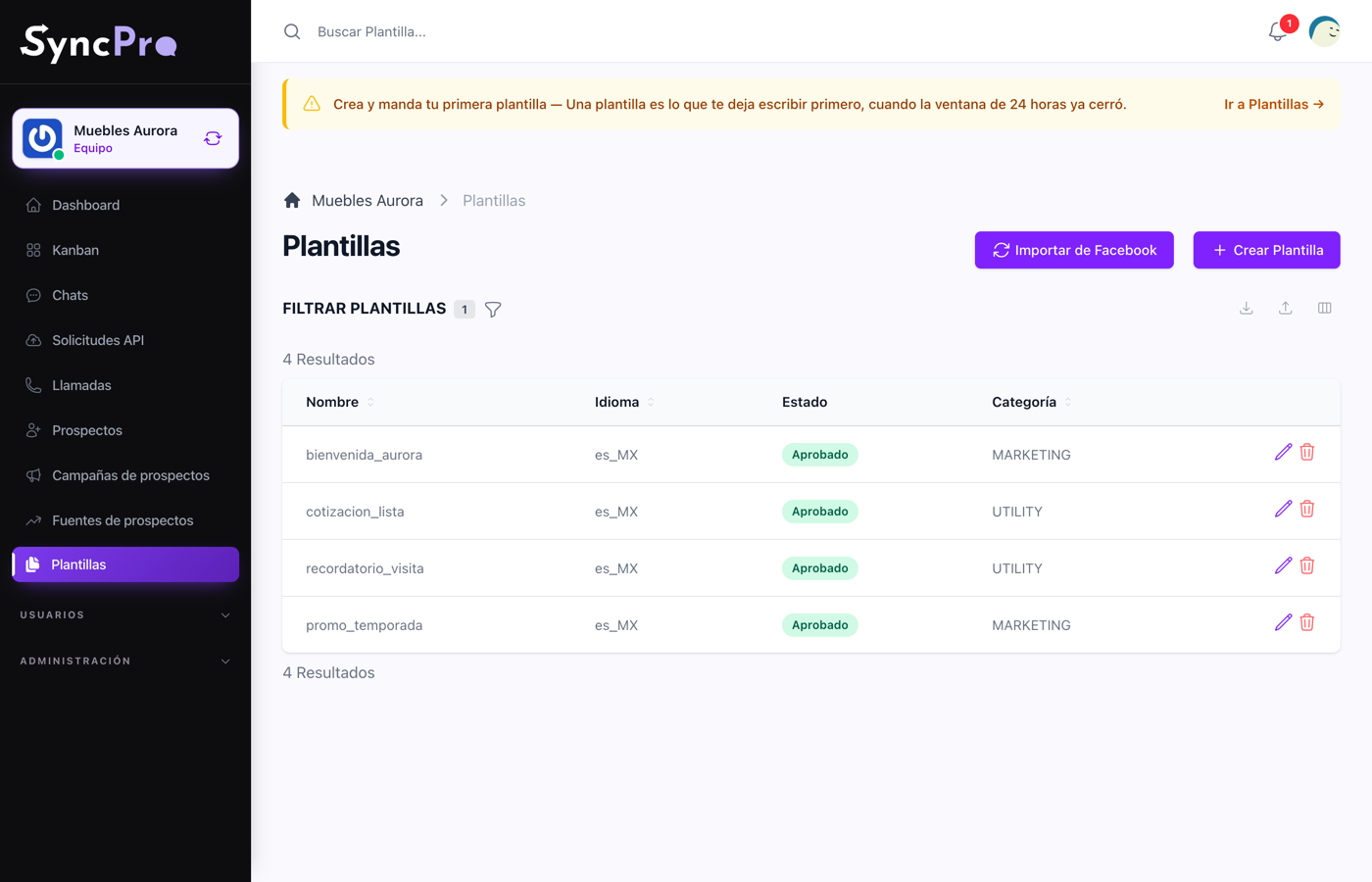
Each template shows its status in the list: Draft, Pending, Approved, Rejected, Paused, Disabled or Deleted. A draft has not been sent to Meta yet, a pending one is waiting for its answer, and the rest are what Meta answered. Only an approved template can be sent; a paused, disabled or deleted one is no longer offered when sending.
The reason for a rejection is not shown in the list or in the template's page. It arrives in the bell: when Meta answers, every member of the team gets a notice titled with the team's name and WhatsApp template rejected. It names the template and, when Meta gave one, ends with "Reason:" and the reason. Opening the notice takes you to the template. A status change that is not a rejection arrives in the bell the same way, without a reason.
The reason is written by Meta, not by us, and it is sometimes terse. These are what they usually mean:
| What it says | What it usually is |
|---|---|
| Wrong category | The content does not match what you filed it under. A promotion filed as utility is the classic. |
| Invalid format | A variable without its example, a variable numbered out of order, or a header that expects a file with no example file. |
| Policy violation | The content itself: an offer that reads as spam, a claim that cannot be made, wording that pressures the recipient. |
| Example content | The example values you gave look like placeholders instead of realistic data. |
What to change
- If it is the category, change it and resubmit. This alone fixes a large share of rejections.
- If it is the format, check every variable has a realistic example, that they run
{{1}},{{2}}in order with none skipped, and that a file header has its example file. - If it is the content, rewrite it. Say what the message is about, drop the urgency, and give the person a plain way to reply. See How to build a template.
Fix it, save, and send it to Meta again. There is no limit on resubmitting.
How long a review takes
Usually minutes. Sometimes a few hours, and occasionally up to a day when Meta is reviewing by hand. The status changes on its own when they answer, and the notice arrives in the bell — you do not have to check anything or press anything. If you have the template open, its page checks every 20 seconds, and the arrow next to its status checks right away.
If a template has been pending for more than a day, it is worth cloning it into a new one and submitting that instead of waiting further.
While you wait
You can keep answering everybody who wrote to you first: the 24-hour window does not need any template. What you cannot do until approval is write first to somebody whose window has closed. See Chats and conversations.