
The API requests log
The webhooks Sync Pro received for your team, stored as they arrived with the answer they got, how to find the ones that failed, and how to run a failed Callpicker call again.
What reaches Sync Pro from outside — a WhatsApp message or a delivery update from Meta, a finished call from Callpicker — arrives as a webhook. Every webhook is kept as it arrived, together with the answer Sync Pro gave it, even when it could not be used. Api Requests, in the team menu, shows the ones that belong to your team, newest first.
You see it when your role has See on the Api Request row of the Roles screen. To run a failed request again, the role also needs the Rerun Team Api Request switch, which the owner's role has. See Roles and permissions.
This is the screen to open when someone says "the message never arrived" or "the call is not there".
What a record holds
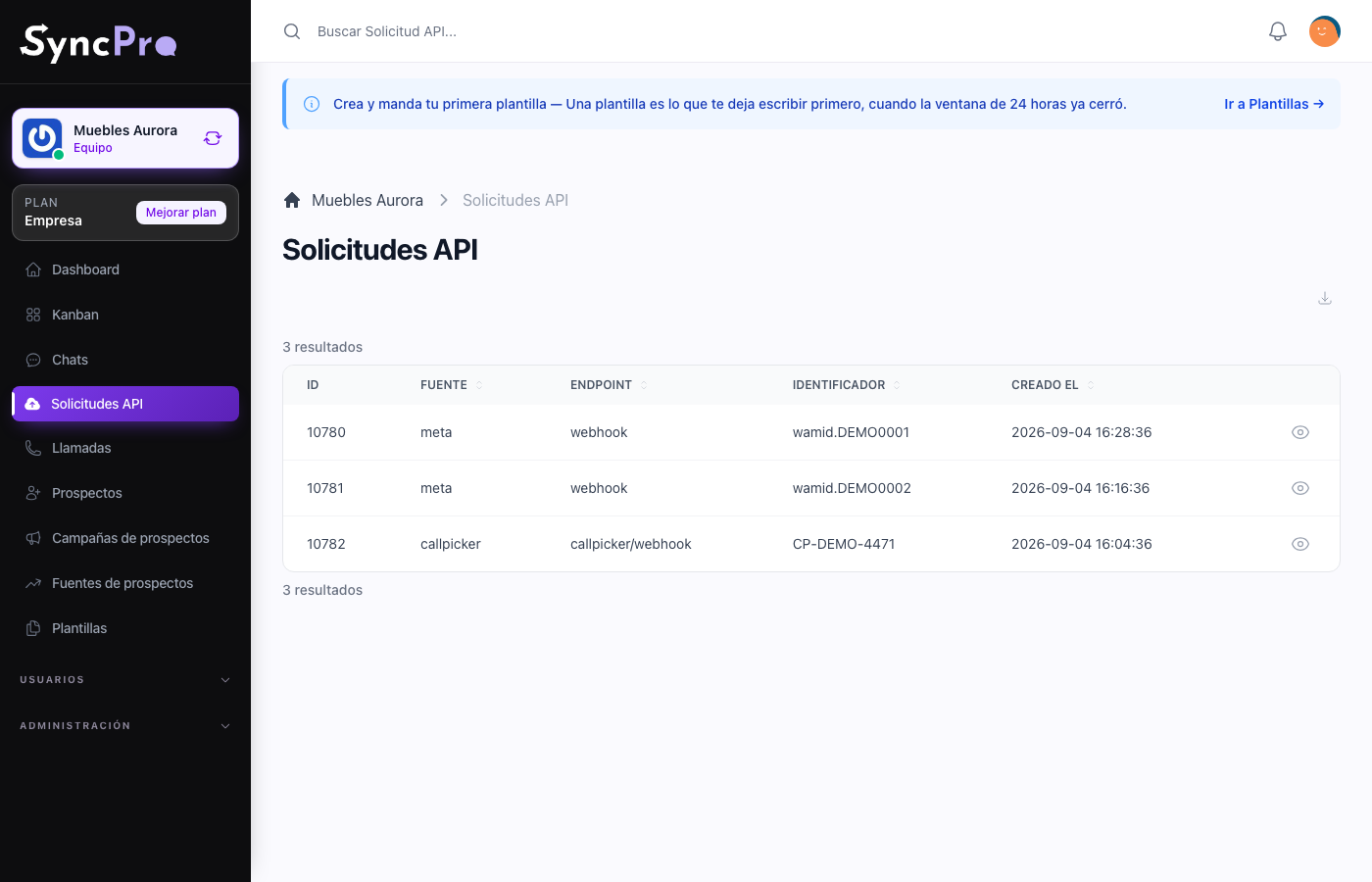
| Field | What it tells you |
|---|---|
| Source | Who sent it: whatsapp for Meta, callpicker for Callpicker. |
| Endpoint | Which address it arrived at. |
| Identifier | The reference the sender used, for matching against their own logs. Callpicker records carry the call's id; WhatsApp records leave it empty. |
| HTTP status | The answer Sync Pro gave the sender. Callpicker always gets 200. Records from before Sync Pro kept answers show it empty. |
| Error | Why the request could not be used, when it could not. Empty when it went through. |
| Request | The full payload, exactly as it was received. It is shown when you open the record. |
| Response | The answer that was given, with its error, as JSON. It is shown when you open the record. |
| Created At | When it arrived. |
The payload is the useful part. It is what the sender actually sent, not Sync Pro's interpretation of it, which is what makes it possible to tell the two apart.
Finding the ones that failed
Use the With error filter to keep only the requests that could not be used. The Error column says why:
| Error | What it means |
|---|---|
| Call Picker is not enabled for the team | A call arrived while your team did not have the Callpicker module. |
| The body is not valid | The sender's payload could not be read, or is missing what Sync Pro needs, such as the call's id. |
| The request could not be processed | The call arrived fine, but recording it failed. |
| WhatsApp is not enabled for the team and The team does not exist | These are kept outside your log; see below. |
What is not in your log
Every webhook is kept, but a few are kept without a team, so they do not appear in any team's log:
- Messages for a number that is not linked to your team. A webhook for a number that no team has fully linked has no team to belong to. That includes your own number while it is linked but not confirmed, or after it was disconnected. A WhatsApp webhook that does not say which number it is for is kept the same way.
- Template status changes and WhatsApp webhooks Sync Pro cannot read. When Meta approves, rejects or pauses a template, Sync Pro updates the template; the webhook itself is kept outside the team logs, like a WhatsApp body that is not readable.
- Callpicker calls sent to an address with a team that does not exist. A webhook URL copied wrong, or left pointing at a team that was removed.
A call that Callpicker sends twice keeps one record: records are matched by the call's id, so the second arrival does not add another one.
Reading it when something is missing
The question the log answers first is which of three things happened:
- There is no record. Usually the webhook never arrived, and the problem is outside Sync Pro: for Callpicker, the address is not configured there or points somewhere else; for WhatsApp with token access, the webhook is not set in your Meta app. Before concluding that, rule out the cases in What is not in your log — a number that is not fully linked to your team is the common one. Check the WhatsApp module or the Callpicker module.
- There is a record with an error. The webhook arrived and Sync Pro could not use it. The Error column says why; fix the cause, then run it again.
- There is a record without an error but nothing happened. The webhook arrived and processing it did not produce what you expected. The payload tells you what it actually contained.
Running one again
A Callpicker request with an error has the Rerun action when you open it. It processes the stored call again inside Sync Pro, exactly as it arrived, so you do not have to ask Callpicker to send it again. Fix the cause first — for example, switch the Callpicker module on — then press Rerun:
- When it goes through, Sync Pro says the request was processed again, the error is cleared and the call is recorded.
- When the cause is still there, Sync Pro says the request is still failing and why, and the record keeps its error.
A call that was already recorded is never recorded twice by Rerun. Requests without an error do not offer it, and neither do WhatsApp requests: you can read their error, but they cannot be run again from here.
What it is not
It is not an outgoing API for your own systems, and it is not a place to send requests from. It is the record of what arrived and what Sync Pro answered.